
By Mark McDowellPosted: Updated: 10 min read
First published by Sitvisut Anantnakarakul, 2020-10-19. Updated by Mark McDowell on 2026-10-20.
What Is A LINE Official Account And How Does It Work
A LINE Official Account is LINE's account for businesses, used to chat with customers one to one and to send broadcasts to everyone who adds the brand as a friend. It opens at no cost with 300 broadcast messages a month, and LINE sells 2 monthly tiers for more. OpenChat is LINE's group chat for shared interests, and LINE VOOM closed in Thailand on 2026-09-28.
Key Takeaways
- A LINE Official Account opens at no cost with 300 broadcast messages a month, and LINE's Basic and Pro tiers raise the quota to 15,000 and 35,000 messages, with the fees on LINE's own package page.
- LINE takes one message from the quota for each friend a broadcast reaches, while chats, auto-replies and greeting messages use none.
- Messages a month equal the friends who have not blocked the account times the broadcasts a month, and on LINE's published fees Pro costs less than Basic once an account sends more than 20,000.
- Only accounts with a blue or green badge appear in LINE's Nearby and For You lists and can run Gain Friend Ads.
- LINE VOOM closed in Thailand on 2026-09-28, and official account owners can download their old VOOM posts until 2026-12-31.
What A LINE Official Account Is
A LINE Official Account (LINE OA) is the account a business uses to talk to customers on LINE. Staff chat with one customer at a time. The account can also send a broadcast to every friend at once. LINE for Business says official accounts can reach 56 million LINE accounts in Thailand.
Two things have changed for businesses on LINE in Thailand. LINE VOOM, the video feed inside the app, has closed, and a general account now shows no badge at all. LINE’s plans also differ by country, and the tiers in this guide are the ones LINE sells in Thailand.
So a business in Thailand now uses the official account for its own customers and OpenChat for groups who want to talk to each other. LINE Ads finds new people. Before you pay for a tier, multiply the friends who have not blocked the account by the broadcasts you plan each month. That number tells you which tier you need.
How It Differs From A Personal LINE Account
A personal account is for friends and family. An official account is made for a business with many customers. It can have any number of friends, and it can broadcast to all of them or to a chosen group.
Several people can run one account. LINE’s help centre for official accounts gives each user a role, admin or operator, so a team can share the chats. They work in LINE Official Account Manager on the web or in the LINE Official Account app. Each person logs in with a LINE account or with a business account made from an email address.
Customers do not need a new app. They add the brand as a friend in the LINE app they already use, then chat with it in the same chat list as their friends.
What A LINE Official Account Can Do
A LINE Official Account answers customer questions, sends news and offers, and points people to the right page. It also gives discounts and points, and it can take orders in the chat. The features group by job.
Chats And Automatic Replies
Staff answer customers one to one. A greeting message goes to each new friend. Auto-replies answer set keywords, which helps outside office hours.
Broadcasts And Targeting
A broadcast goes to every friend, or to a group such as the people who opened an earlier broadcast. A targeted broadcast needs a Target Reach of at least 100 people. Card messages hold several cards that the reader swipes sideways. Rich video messages play in the chat, and a rich message is one large image that holds up to 6 links.
Rich Menu
The rich menu sits at the bottom of the chat. Each button opens a page, a form or a reply. Pick the buttons from the questions customers ask most, such as opening hours, the map or the price list.
Coupons And Reward Cards
Coupons give friends a discount or a gift. Reward cards collect points each time a customer buys, so nobody has to carry a paper card.
MyShop And MyCustomer
MyShop is a shop inside the official account that takes orders in the chat. MyCustomer is LINE’s customer relationship management (CRM) tool for members and points, kept in the same account.
The 3 Account Types And Their Badges
LINE has 3 types of official account, shown by the badge beside the name. A general account has no badge. A verified account has a blue badge, and a premium account has a green one. Every account starts as general and can apply for verification later, according to LINE’s page on verified accounts.
Verification costs a one-time fee, listed on that page, and the badge lasts for the life of the account. Premium is for large organisations or accounts with millions of friends, and it is arranged through an agency.
A badge changes who can find you. Verified and premium accounts appear in LINE’s Nearby and For You lists and in search engines such as Google. They can also run Gain Friend Ads and use Cross Targeting in LINE’s Business Manager. A general account can do none of these. So a business that plans to win new friends with LINE Ads should apply for the blue badge first.
Does A LINE Official Account Cost Money
Opening a LINE Official Account costs nothing. The starter tier sends 300 broadcast messages a month. Past that, you buy a monthly tier.
LINE’s package page lists two paid tiers. Basic sends 15,000 messages a month and Pro sends 35,000. On both, each message past the quota costs extra. The starter tier cannot buy extra messages at all.
LINE sets the fees and lists them on that page, before value added tax (VAT). They change from time to time, so check the page on the day you buy.
Which Messages Use The Monthly Quota
LINE takes one message from the quota for each friend a broadcast reaches. Friends who have blocked the account are not reached, so they use nothing. LINE’s broadcast guide gives an example. A broadcast to 500 people uses 500 messages, however many bubbles it holds.
Broadcasts of every kind use the quota, targeted ones included. So do step messages and messages that a system sends through the Messaging API as a push, multicast or broadcast. API stands for application programming interface, the link between LINE and other software.
Chats use none of the quota. Nor do auto-replies, artificial intelligence (AI) replies, greeting messages or replies sent through the Reply API. Both lists come from LINE’s help centre.
A Worked Example For Picking A Tier
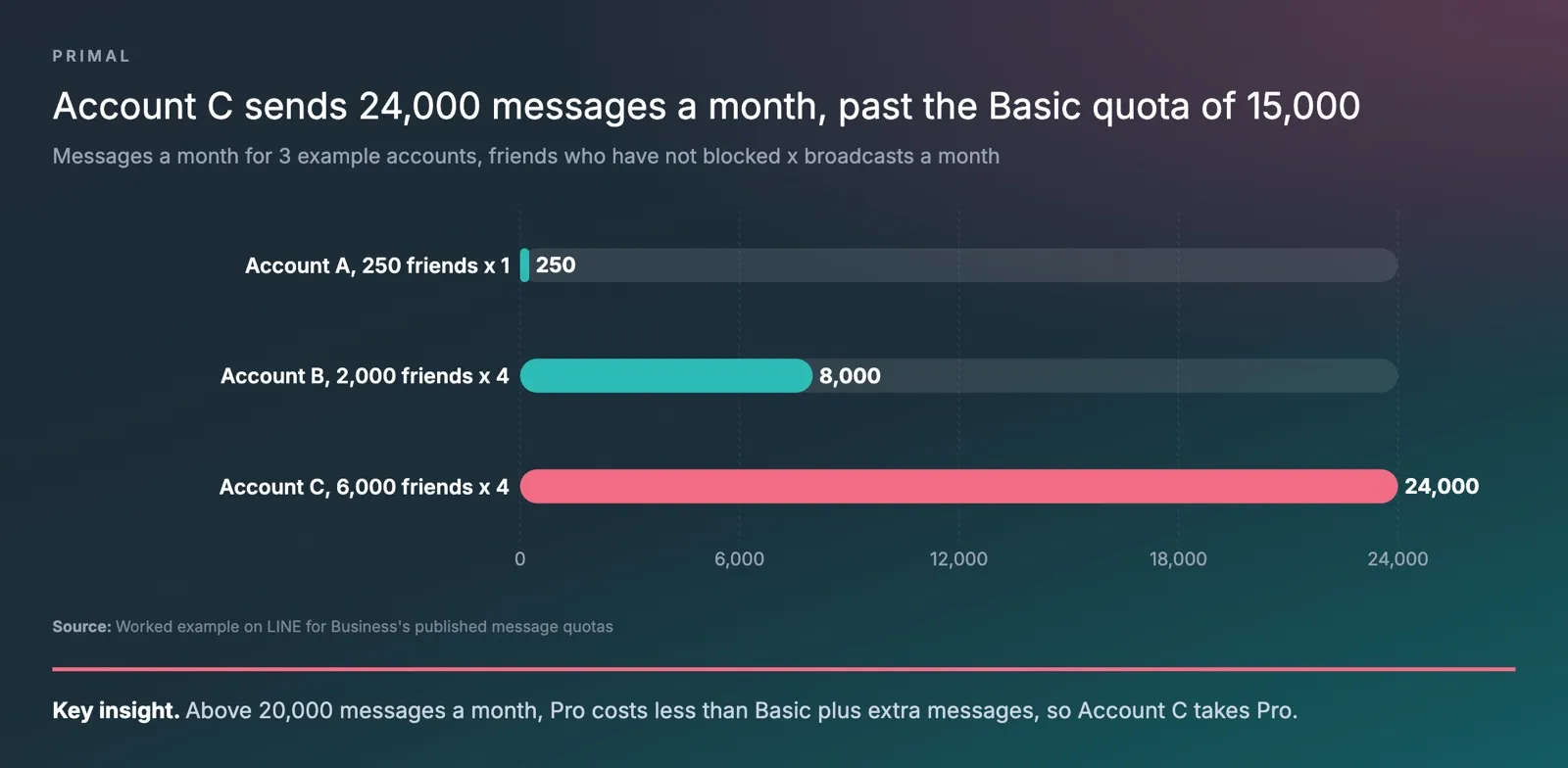
The number of messages a month is the number of friends who have not blocked the account times the number of broadcasts you send each month. Compare that number with each tier’s quota. The three accounts below are made up to show the arithmetic.
| Example account | Friends who have not blocked | Broadcasts a month | Messages a month | Tier that covers it |
|---|---|---|---|---|
| Account A | 250 | 1 | 250 | Starter, 300 messages |
| Account B | 2,000 | 4 | 8,000 | Basic, 15,000 messages |
| Account C | 6,000 | 4 | 24,000 | Pro, 35,000 messages |
Account A can send only one broadcast a month. A second one would take it past the starter quota.
Account C goes 9,000 messages over the Basic quota. Worked through LINE’s published fees, Basic plus extra messages costs the same as Pro at 20,000 messages a month. Above that point Pro costs less, so Account C should take Pro.
The chart shows the same three accounts. The pink bar marks the one that needs Pro.
Fees Outside The Monthly Tiers
The blue badge is a one-time fee. MyCustomer has its own fee on the starter and Basic tiers and comes with Pro. A Premium ID, which swaps the random letters of the basic ID for a name you choose, is renewed each year. LINE lists each of these fees on its own pages.
How To Set Up A LINE Official Account
You can open an account with a personal LINE account or with a business account made from an email address. LINE for Business sets out these steps.
- Open the sign-up form at entry.line.biz and log in with your LINE account or business account.
- Fill in the account details and confirm them.
- In manager.line.biz or the LINE Official Account app, add the profile picture, the greeting message, the auto-replies and the rich menu.
- To get the blue badge, open the settings and request verification.
- Buy a monthly tier at manager.line.biz once you need more than 300 messages a month.
How To Use A LINE Official Account On A Computer
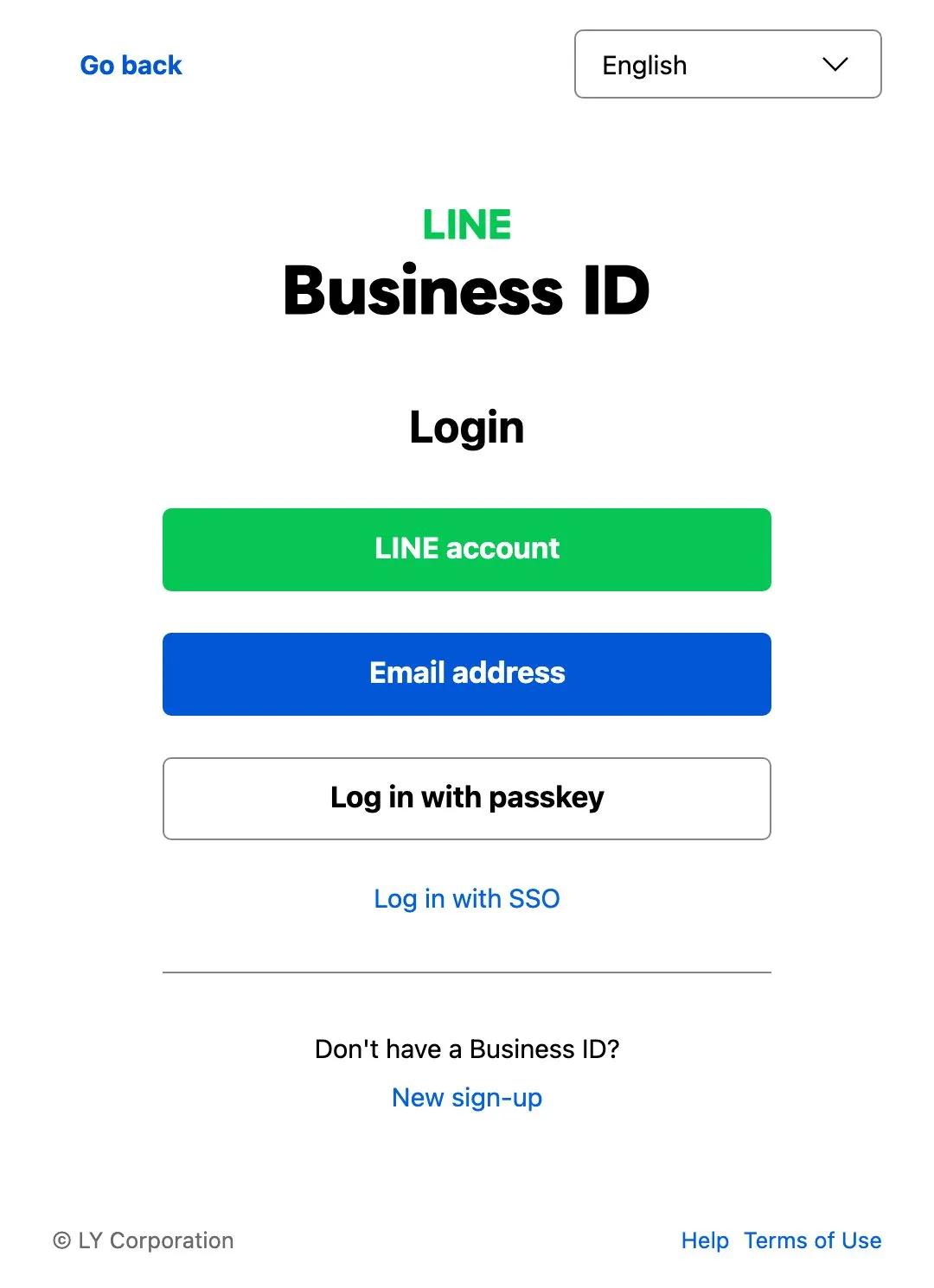
Open LINE Official Account Manager at manager.line.biz in any web browser. It sends you to LINE’s Business ID login, where you sign in with a LINE account or an email address. Some work can only be done on the web, such as making a rich video message. It is also where the monthly tiers are bought.
This is the login page as a visitor sees it before signing in.
What LINE OpenChat Is
LINE OpenChat is a group chat in the LINE app for people who share an interest. LINE’s Help Center describes 3 kinds of room. Anyone can join the first kind. The second needs a password set by the admin, and the third needs the admin to approve each new member.
Members can set a separate name and photo for each room. The invite page shows the room’s name, cover photo, description and number of members to anyone.
For a business, OpenChat suits groups whose members talk to each other, such as product users, students of a school or the members of a club. Every member can post, so the room needs someone to look after it each day. That work is closer to running a brand’s social media than to sending broadcasts.
OpenChat Compared With A LINE Official Account
A LINE Official Account is a chat between the brand and one customer at a time. OpenChat is a room where the members talk as a group. The table compares the two from LINE’s own pages.
| LINE Official Account | LINE OpenChat | |
|---|---|---|
| How it works | The brand chats with each customer and broadcasts to friends | Members chat with each other in one room |
| Who can join | Any number of friends | Anyone, people with the password, or people the admin approves |
| Profile shown | The brand’s name and picture | A profile each member sets for that room |
| Suits | News, offers and each customer’s questions | User groups, classes and member clubs |
| Related ads | Gain Friend Ads, for accounts with a badge | OpenChat is one of the LINE Ads placements |
What Happened To LINE VOOM
LINE VOOM was the feed of short videos, photos and posts inside the LINE app, where people and official accounts could post. LINE for Business announced that VOOM would end in Thailand on 2026-09-28. Users in Thailand can no longer open it, and the posts on it were deleted.
LINE’s notice sets out what owners of official accounts that posted on VOOM should do.
- Download old photos and videos from voom-studio.line.biz with the backup feature, which is open until 2026-12-31. After that date the posts cannot be recovered.
- Check any broadcast that was also set to post to VOOM. Posting from broadcasts to VOOM has stopped, and other broadcasts carry on as before.
- Watch LINE Ad Manager if your ads ran on VOOM. LINE says it will announce the changes to those ads there.
The LINE Ads page now lists placements on the Home tab, the Chat list, LINE TODAY, the Wallet tab, LINE OpenChat, LINE Album and LINE Note. VOOM is not on the list.
How To Use LINE For Business After VOOM
Make the official account the main channel for your own customers. Add OpenChat when a group of customers wants to talk to each other, and use LINE Ads when you need new friends. In practice, that means these steps.
- Apply for the blue badge first if the plan includes ads to gain friends.
- Set the greeting message, the auto-replies and the rich menu before new people arrive. None of these use the quota.
- Check the number of friends who have not blocked the account each month, and pick the tier from the real number of messages.
- Send a targeted broadcast when a message is for one group only. Fewer people reached means fewer messages used.
- Put LINE in the same social media strategy as your other channels, with one job for each.
I start content work from the questions customers already ask a brand’s team, and for a brand on LINE, the official account’s chat is one of the places those questions arrive. The questions buyers ask your team are the exact questions they type into ChatGPT, so the chat tells us which pages and posts to write first. Chats use none of the monthly message quota, so a brand can answer every question it gets there without buying a higher tier.
Primal’s team in our Bangkok office plans LINE Ads together with a brand’s official account and its other paid channels, in one plan and one report. You can reach the team on LINE at @primal.digital.
Frequently Asked Questions About LINE Official Accounts
What Is A Premium ID On LINE
A Premium ID replaces the random letters and numbers of an account’s basic ID with a name you choose, such as the brand name. Customers find it easier to remember and type. LINE renews it each year for a fee listed on its Premium ID page.
Can A Broadcast Be Edited After It Is Sent
No. LINE’s broadcast guide asks you to preview each broadcast before you send it. A scheduled broadcast can still be cancelled before it goes out.
How Long Does Verification Take
LINE emails the result within 7 working days of the request. If the account is approved, LINE asks for the fee by email. The blue badge appears within 1 day of payment.
Can I Buy A Package In The iPhone App
No. Monthly tiers cannot be bought in the app on iOS. The note under LINE’s package table asks you to buy them in LINE Official Account Manager at manager.line.biz.
How Is OpenChat Different From A LINE Group
In OpenChat, each member can use a separate profile for each room. New members can also read up to 6 months of earlier messages, which LINE’s Help Center describes as different from normal LINE chats.
Founder and Chief Executive Officer
Mark McDowell is the Founder and Chief Executive Officer of Primal, which he started in Bangkok in 2015. He is on the Forbes 30 Under 30 Asia 2020 list and was Campaign Asia’s Southeast Asia Young Achiever of the Year in 2018. He writes about AI search and search engine optimisation.
About The Author